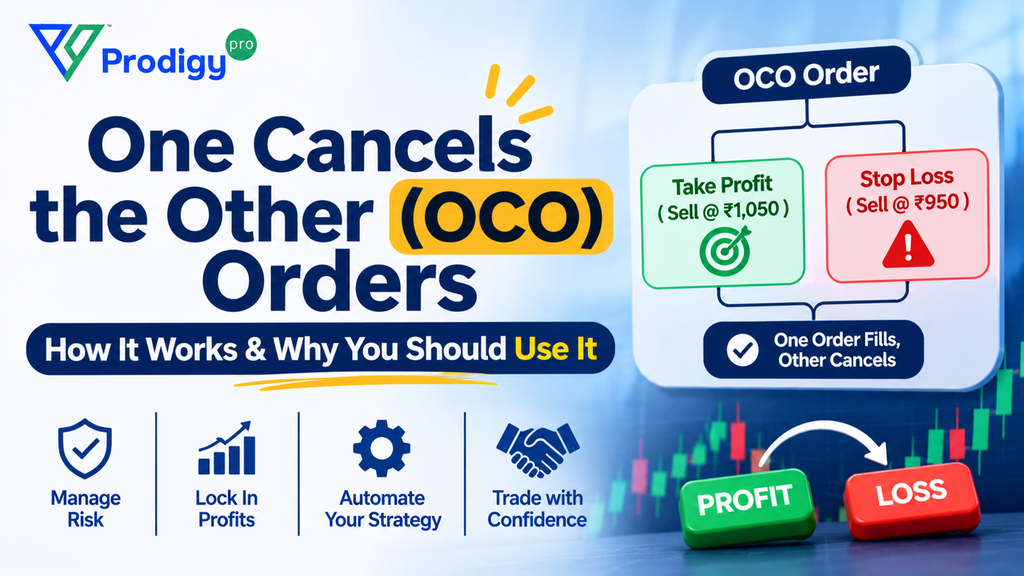
A One Cancels the Other (OCO) order is a powerful conditional order that can be used in many different markets (including stocks, Forex and cryptocurrencies). A One-Cancels-the-Other (OCO) order combines two separate orders into a single trading strategy. When one order is executed, the other is automatically cancelled. Traders commonly use OCO orders to manage risk, limit potential losses, and automate profit booking without constantly monitoring the market.
In basic terms:
- You place Order A (ex., stop loss or limit).
- You place Order B (ex., take profit or another stop).
- If Order A fills first, Order B is automatically cancelled— and vice versa.
This “one cancels the other” feature safely removes the need to manually cancel the alternate order after execution. And thus, the OCO order.
OCO Order Meaning: Understanding the Name of the Acronym
- OCO: “One Cancels the Other orders.” This is a compound order format that allows you to place two trades at the same time.
- Traders tend to pair:
- Stop-loss + Take-profit
- Entry stop + Protective stop
- Breakout buy + Breakdown sell
Each setup fulfils a different goal—protecting capital, locking in profits, entering momentum, or hedging.
How OCO Orders Work: A Temporary How‐to Guide
- Define Two Price Levels: For example, you own a stock for ₹1,000. You don’t want to lose more than ₹100, or you’ll be happy selling at ₹1,200. You place one stop-loss at ₹900 and one limit at ₹1,200.
- Time-in-Force: These have to have the same TIF. For example, it can be GTC (good till cancelled) or Day.
- Execution or Cancellation: Say the price first hits ₹1,200 → The limit sells and fills at ₹1,200, while the stop-loss order is cancelled. Or it drops to ₹900 → The stop-loss sells, and the take-profit limit is cancelled.
- No Overlapping Conflicts: Without an OCO order, traders must manually cancel the second order once the first one is executed. In a fast-moving market, this can lead to confusion, delays, or even accidental execution of both orders, resulting in an unintended position. An OCO order eliminates this hassle by automatically cancelling the pending order as soon as the other is executed.
Different Types of OCO Orders & Their Specific Usage
1. Stop-Loss / Take-Profit (Exit OCO)
- The most common type of OCO order, combining a protective stop-loss order with a profit target.
- Example: Buy at ₹1,000 and place an OCO order with a stop-loss at ₹900 and a take-profit target at ₹1,200. If either order is executed, the other is automatically cancelled.
2. Entry / Stop-Loss OCO
- Combines an entry order with a stop-loss order to manage potential downside while entering a trade.
- Example: Place a buy-stop order at ₹1,050 and a stop-loss order at ₹980. If the buy-stop order is triggered, the stop-loss order is automatically cancelled, depending on the broker’s OCO configuration.
3. Entry / Take-Profit OCO
- Combines an entry order with a profit-taking order, allowing traders to automate their entry and exit strategy.
- This can be useful when trading momentum or anticipating a price movement towards a specific target.
4. Breakout OCO
- Used when traders anticipate a significant price movement but are uncertain about its direction.
- Example: Place a buy-stop order above resistance and a sell-stop order below support. Whichever order gets triggered first executes, while the other is automatically cancelled.
5. Hedging OCO
- A less common application of OCO orders, where traders use linked orders to manage opposing market positions or limit exposure during uncertain market conditions.
- This approach can help automate trading decisions when prices fluctuate within a defined range.
Significance of OCO
1. Automated Risk Management
Traders combine a stop-loss and a take-profit order to manage potential losses and secure profits. Once one order is executed, the other is automatically cancelled, eliminating the need for manual intervention.
2. Better Trading Discipline
OCO orders help reduce emotional and impulsive decisions and encourage a more disciplined approach to trading.
3. Saves Time for Active Traders
OCO orders are useful for traders who cannot monitor market movements throughout the day, as they automate linked orders and reduce the need to constantly track prices or cancel orders manually.
4. Useful in Volatile Markets
OCO orders can be particularly helpful during breakout trading and periods of heightened market volatility, when prices move rapidly. Automatic cancellation of the unexecuted order also helps prevent unintended overlapping trades.
5. Consistent Strategy Implementation
OCO orders allow traders to follow predefined entry, exit, and risk-management rules more consistently. They can also specify the Time in Force (TIF), where supported, to determine how long their orders remain active.
Disadvantages & Pitfalls:
- Complex for New Users
Understanding the thought process behind it and deciding where to put the levels requires experience.
- No Changes During The Life of OCO
There are no changes once you place your OCO. If you want to make changes, you have to cancel or trade out both orders.
- Partial Fills
This is especially true with leg limit/stop-limit for fast markets, where one order may partially fill and have the other cancelled, resulting in an outcome you didn’t plan.
- Transaction Limitations
Not all brokers will allow for OCO orders, nor will all asset classes permit them.
Places Where OCO Orders Excel
OCO orders are especially helpful in the following circumstances:
- Day Trading
Immediate protection for intraday positions.
- Breakout Strategies
Automate entry and the stop-loss to leverage momentum moves.
Allows you to minimise emotional mistakes during high-impact releases.
- Swing Trading
Sets your risk/reward upfront for multi-day trades.
That said, OCO is not well suited for scalping (very small moves) or adaptive strategies that require active management.
Setting Up an OCO Order
Here is a real example for a stock trading at ₹1,000:
- Select Time‑in‑Force: Choose both legs as GTC.
- Leg 1 (Take‑Profit): Sell limit at ₹1,200.
- Leg 2 (Stop‑Loss): Sell stop at ₹900 (triggers market or stop‑limit sell).
- Submit OCO Order.
- Once submitted, monitor execution:
- Price moves up → ₹1,200 order triggers → sell execution → ₹900 stop cancels.
- Price moves down → ₹900 stop triggers → cancels ₹1,200 order.
Real-World Uses Across Asset Classes
- Stocks: Use stop-loss and take-profit orders together on your long/short trades.
- Forex: Automate exit orders for currency pairs and avoid cancelling manual orders.
- Crypto: Most exchanges offer OCO, which manages 24/7 volatility perfectly.
Tips for Using OCO Orders Effectively
- Define Your Risk & Reward
- Establish price levels that are reasonable based on your plan.
- Practice on Demo Accounts.
- Try OCO setups without putting your money at risk.
- Correct Time-in-Force
- Be sure to have identical TIF for both orders.
- Track Your Execution Behaviour.
- Know whether your broker provides partial fills or the risk of slippage.
- Review Fees & Rules of Your Platform
- Establish whether there are additional commissions for the OCO legs.
Conclusion
One-Cancels-the-Other (OCO) orders are an excellent trade management tool that allow traders to automate risk management, lock in a profit, take advantage of a breakout, and reduce emotion and manual intervention. A good setup and practice can help you improve your discipline and consistency, along with improved operational efficiency.
OCO’s may not be for everyone, but for a lot of traders, particularly those who focus on swing, breakouts, or news-related trades, they add value and should be integrated into their trading plan.
Please share your thoughts on this post by leaving a reply in the comments section. Contact us via Phone, WhatsApp, or Email to learn more about mutual funds, or visit our website Prodigy Pro.
Alternatively, you can download the Prodigy Pro app to start investing today!
FAQs
1. What is an OCO order?
An OCO order (One – Cancels – the – Other) is a combination of two orders – usually one take – profit order and one stop – loss order. When one order executes, the other order is automatically cancelled.
2. Why is OCO useful?
An OCO order automates an investor taking a profit and limiting their losses at the same time. This removes the chance for human error or emotional decision-making.
3. Can I change an OCO’s price and/or duration once it is placed?
No. In order to change an OCO, you have to cancel both orders and create a new one.
4. Are OCO orders charged double?
Possibly yes, because two separate orders are created. The fee is dependent on the broker’s policies.
5. Can OCO orders partially fill?
Yes. If only one of the orders gets filled before the other order cancels, the remaining portion of the position may exist.